
Admin Onboarding
Replacing a command-line installation process with a guided setup wizard, consolidating scattered configuration settings into a single, learnable workflow for PowerSchool administrators.
My Role
- System analysis of existing installation and configuration workflows
- User flows, sketches, wireframes, and visual design
- Stepper UI design and design system component development
- Cognitive walkthroughs with admin users
Company: PowerSchool, Inc.
Role: Principal UX Designer
Duration: Spring 2020
The Project
PowerSchool needed a better way to onboard administrators and allow them to configure their system at launch. The original process was command-line based, leaving many initialization settings to be completed after the admin was already logged in, scattered across settings pages they had to find on their own.
The Challenge
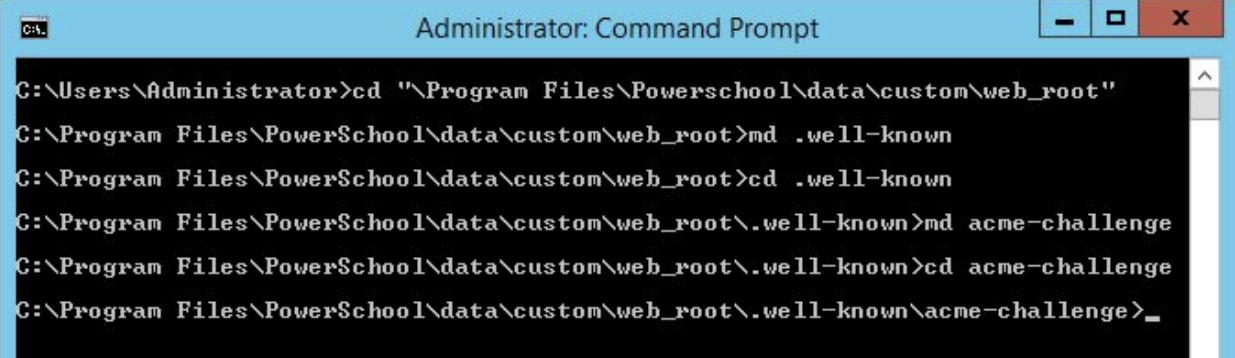
PowerSchool SIS and the Unified Classroom were installed through a command line interface. Once the installation was complete, admins logged in using a default account and finished configuration using settings pages scattered throughout the application. Without hours of training, it was impossible to navigate to everything needed to complete the process.
| Problem | Impact |
|---|---|
| Command line installation | Required technical expertise before any UI was available |
| No guided setup | Admins had to know what to configure and where to find it |
| Settings in multiple places | Configuration was scattered throughout the application |
| Required training | New customers could not complete setup without extensive guidance |
Our users:
| User | Role |
|---|---|
| Implementation Techs | PowerSchool support employees who install and configure portions of the system |
| Systems Administrators | Configure servers, manage security, users, and access |
Solution
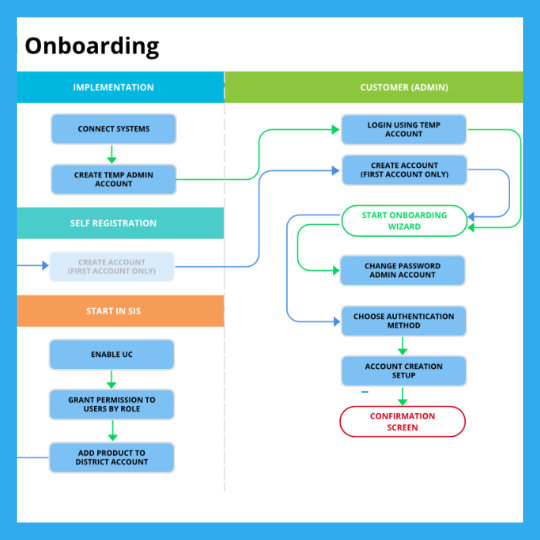
I designed a guided setup workflow with three entry paths to accommodate different installation scenarios: implementation technicians could create the account, customers could self-register, or customers could start the process from within the SIS.
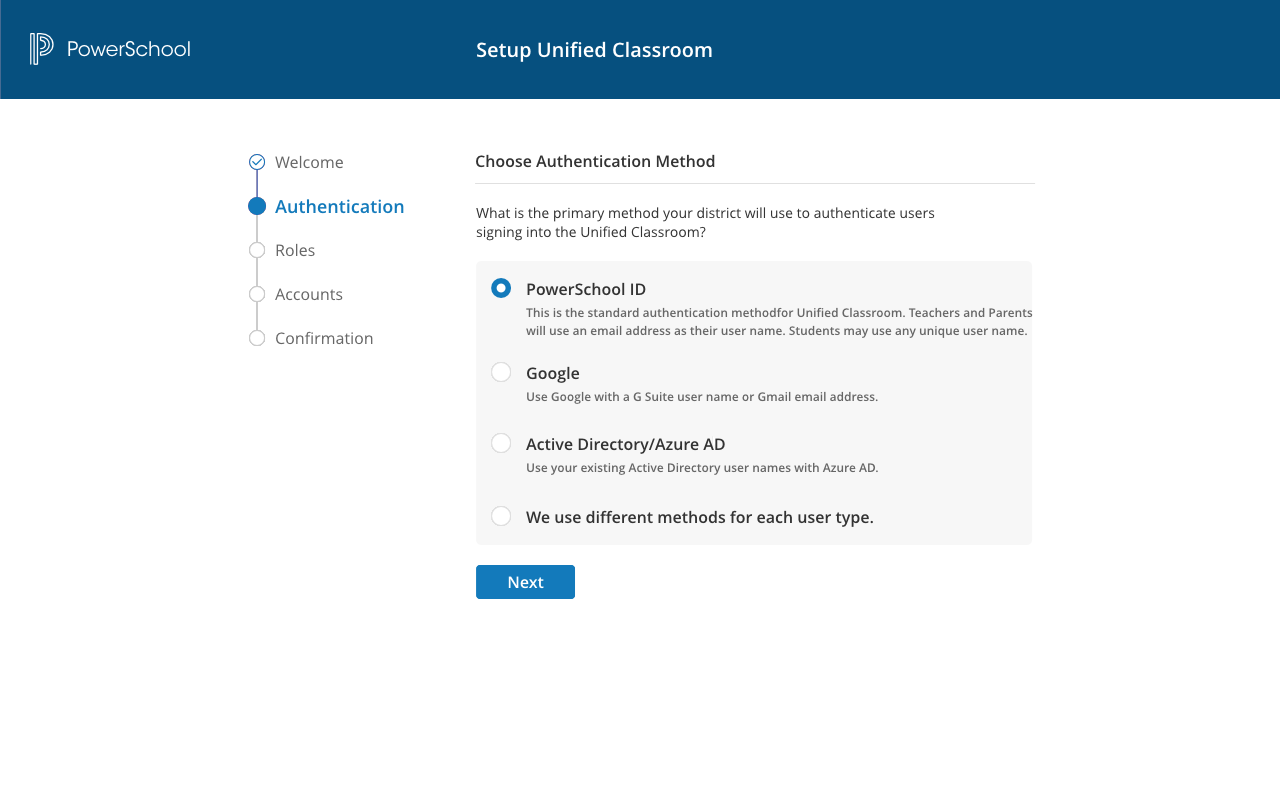
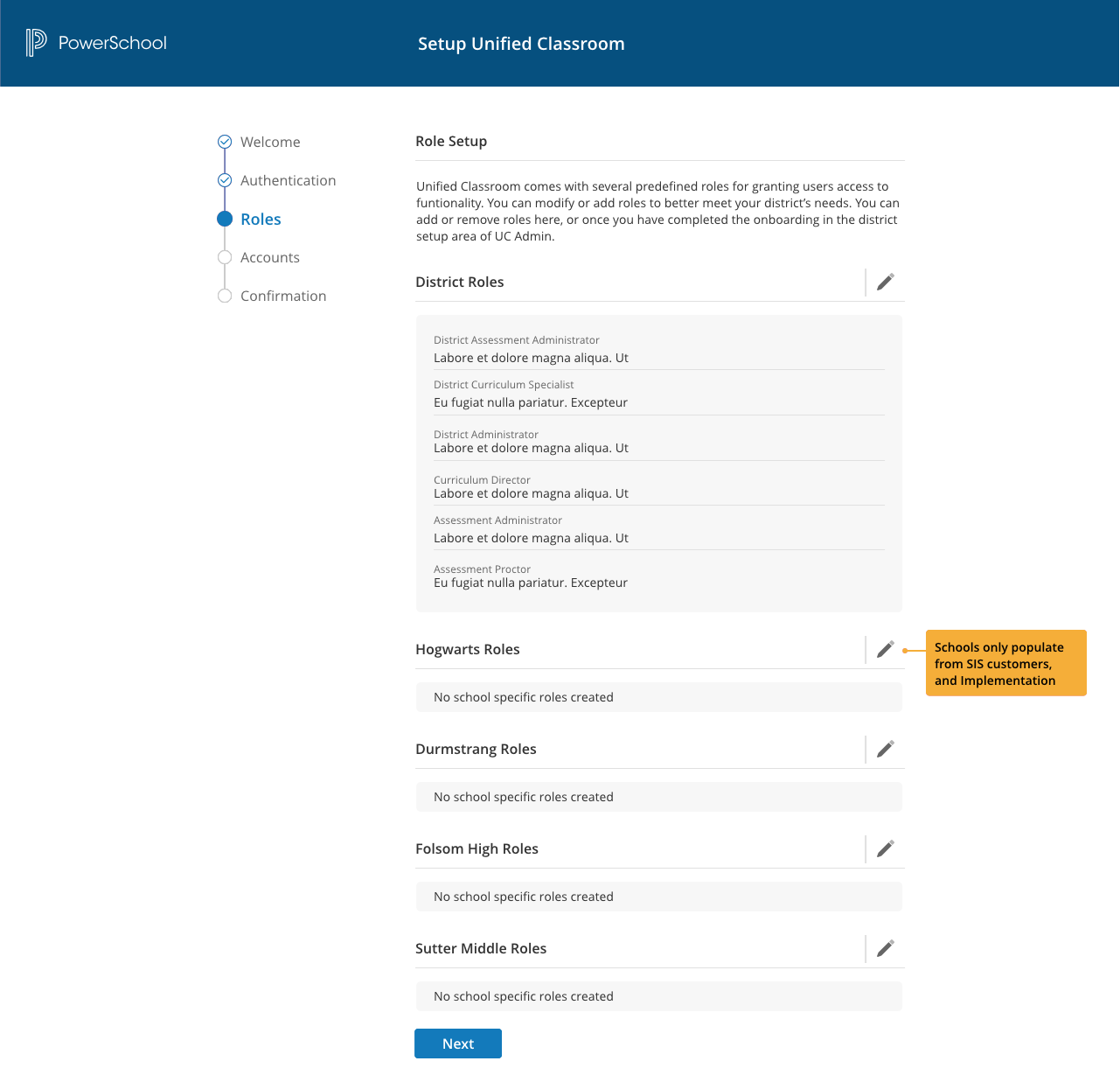
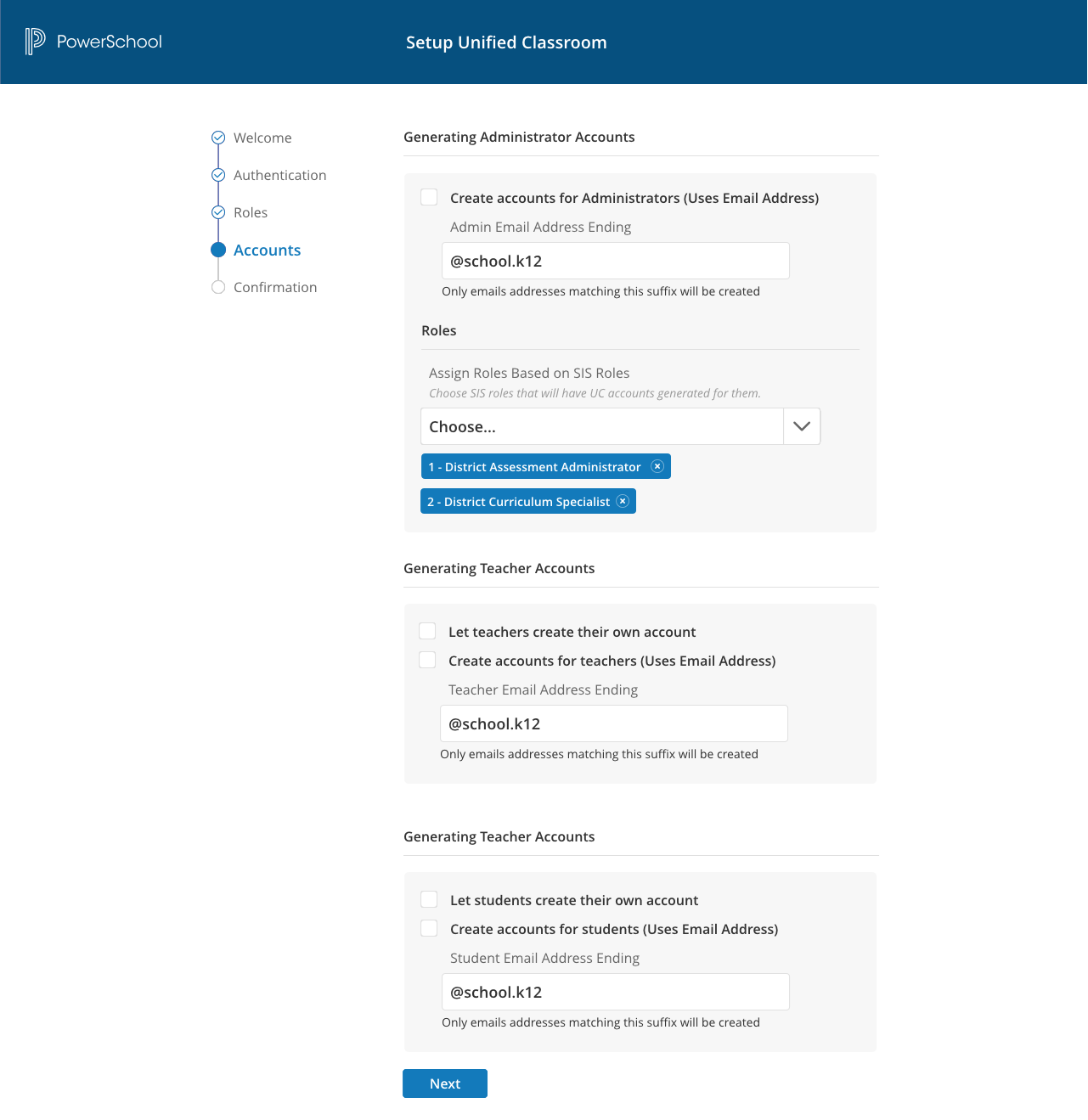
The core of the solution was a stepper UI that walked district administrators through every step to complete installation of the Unified Classroom. I went through a series of design iterations to find an approach that fit within the existing design system, provided all required states, was accessible, and was straightforward to implement. Consolidating scattered settings into this single guided workflow meant admins no longer needed prior knowledge of where everything lived.



The Results
I conducted a series of cognitive walkthroughs with admin users and asked them questions about the process. They were generally pleased with the improvements, though they also expressed frustration with other portions of the product.
The Unified Classroom was one of the first PowerSchool products offered exclusively on the cloud. The product had significant technical issues that created substantial user frustration. The engineering team drove product decisions and regularly bypassed UX designs. When customer feedback became overwhelming, including requests for refunds, the UX team was asked to provide solutions. I pulled up my original designs and delivered them to product and engineering. Ultimately the technology stack could not support the product’s needs, and that codebase was abandoned.
This project reinforced that early UX involvement in product decisions is not optional. Good design cannot rescue a product from a foundation that cannot support it, but it can document what the right solution looks like when the organization is finally ready to listen.
Related Projects
- PowerSchool SIS Re-Architecture — A large system related to this project